-
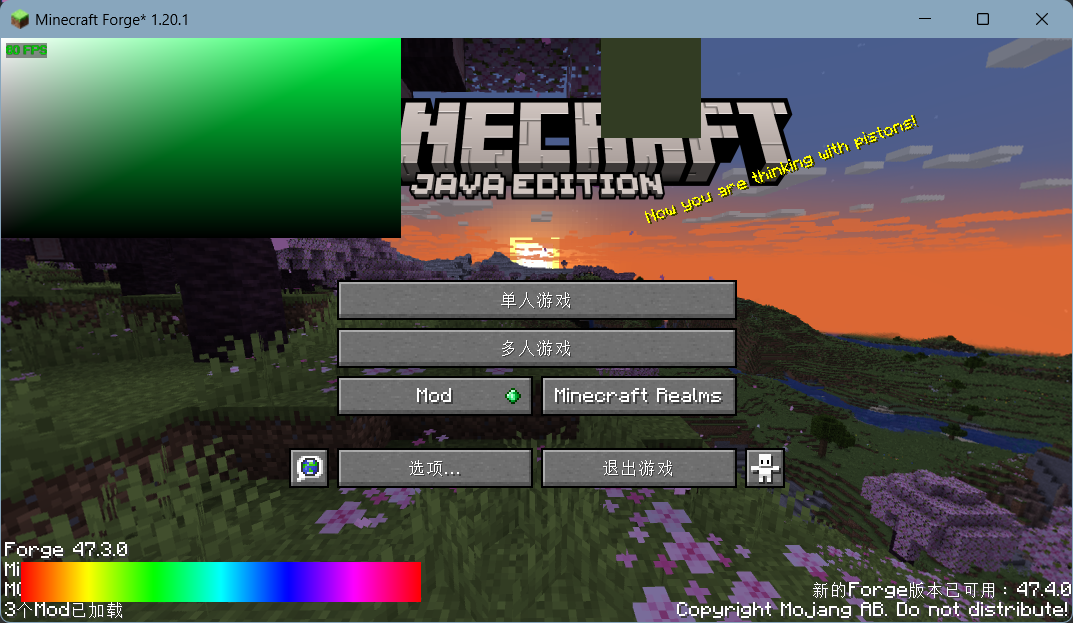
直接上代码。
import com.mojang.blaze3d.systems.RenderSystem;
import com.mojang.blaze3d.vertex.*;
import net.minecraft.client.Minecraft;
import net.minecraft.client.gui.GuiGraphics;
import net.minecraft.client.gui.screens.Screen;
import net.minecraft.client.renderer.GameRenderer;
import net.minecraft.network.chat.Component;
import net.minecraft.util.FastColor;
import org.joml.Matrix4f;
import org.lwjgl.BufferUtils;
import org.lwjgl.opengl.GL11;

import java.awt.*;
import java.nio.ByteBuffer;

public class ColorPickerScreen extends Screen {
    private int pickColor = 0xFFFFFFFF;
    private int hueColor = Color.HSBtoRGB(0f, 1f, 1f);
    private double pendingMouseX = -1, pendingMouseY = -1;

    // 色板与色相条的位置/尺寸常量
    private static final int PANEL_X = 0, PANEL_Y = 0, PANEL_W = 200, PANEL_H = 100;
    private static final int HUE_X = 10, HUE_H = 20, HUE_W = 200, HUE_Y_OFFSET = 30;
    private static final int PREVIEW_X = 300, PREVIEW_Y = 0, PREVIEW_W = 50, PREVIEW_H = 50;
    private static final int HUE_SEGMENTS = 100;

    public ColorPickerScreen() {
        super(Component.literal("HSV Color Picker"));
    }

    @Override
    public void render(GuiGraphics guiGraphics, int mouseX, int mouseY, float partialTicks) {
        super.render(guiGraphics, mouseX, mouseY, partialTicks);

        Matrix4f mat = guiGraphics.pose().last().pose();
        Tesselator tess = Tesselator.getInstance();
        BufferBuilder buf = tess.getBuilder();

        RenderSystem.setShader(GameRenderer::getPositionColorShader);
        buf.begin(VertexFormat.Mode.QUADS, DefaultVertexFormat.POSITION_COLOR);
        drawColorPanel(mat, buf);
        drawHueBar(mat, buf);
        drawPreview(mat, buf);
        tess.end();

        // 在所有内容绘制完后再执行拾色
        handlePendingPick(guiGraphics);
    }

    @Override
    public boolean mouseClicked(double mouseX, double mouseY, int button) {
        this.pendingMouseX = mouseX;
        this.pendingMouseY = mouseY;
        return super.mouseClicked(mouseX, mouseY, button);
    }

    // === 私有封装方法 ===

    /** 绘制从黑→黑→选中色→白的渐变色板 */
    private void drawColorPanel(Matrix4f mat, BufferBuilder buf) {
        buf.vertex(mat, PANEL_X, PANEL_Y + PANEL_H, 0).color(0f, 0f, 0f, 1f).endVertex();
        buf.vertex(mat, PANEL_X + PANEL_W, PANEL_Y + PANEL_H, 0).color(0f, 0f, 0f, 1f).endVertex();

        float rHue = FastColor.ARGB32.red(hueColor)   / 255f;
        float gHue = FastColor.ARGB32.green(hueColor) / 255f;
        float bHue = FastColor.ARGB32.blue(hueColor)  / 255f;
        buf.vertex(mat, PANEL_X + PANEL_W, PANEL_Y, 0).color(rHue, gHue, bHue, 1f).endVertex();

        buf.vertex(mat, PANEL_X, PANEL_Y, 0).color(1f, 1f, 1f, 1f).endVertex();
    }

    /** 绘制水平色相条 */
    private void drawHueBar(Matrix4f mat, BufferBuilder buf) {
        int hueY = this.height - HUE_Y_OFFSET;
        for (int i = 0; i < HUE_SEGMENTS; i++) {
            float h1 = (float) i / HUE_SEGMENTS;
            float h2 = (float)(i + 1) / HUE_SEGMENTS;
            int c1 = Color.HSBtoRGB(h1, 1f, 1f);
            int c2 = Color.HSBtoRGB(h2, 1f, 1f);
            float r1 = ((c1>>16)&0xFF)/255f, g1 = ((c1>>8)&0xFF)/255f, b1 = (c1&0xFF)/255f;
            float r2 = ((c2>>16)&0xFF)/255f, g2 = ((c2>>8)&0xFF)/255f, b2 = (c2&0xFF)/255f;

            int x1 = HUE_X + i * HUE_W / HUE_SEGMENTS;
            int x2 = HUE_X + (i+1) * HUE_W / HUE_SEGMENTS;
            buf.vertex(mat, x1, hueY, 0).color(r1, g1, b1, 1f).endVertex();
            buf.vertex(mat, x2, hueY, 0).color(r2, g2, b2, 1f).endVertex();
            buf.vertex(mat, x2, hueY + HUE_H, 0).color(r2, g2, b2, 1f).endVertex();
            buf.vertex(mat, x1, hueY + HUE_H, 0).color(r1, g1, b1, 1f).endVertex();
        }
    }

    /** 在右侧绘制当前 pickColor 预览小矩形 */
    private void drawPreview(Matrix4f mat, BufferBuilder buf) {
        float r = FastColor.ARGB32.red(pickColor)   / 255f;
        float g = FastColor.ARGB32.green(pickColor) / 255f;
        float b = FastColor.ARGB32.blue(pickColor)  / 255f;

        buf.vertex(mat, PREVIEW_X,               PREVIEW_Y + PREVIEW_H, 0).color(r, g, b, 1f).endVertex();
        buf.vertex(mat, PREVIEW_X + PREVIEW_W,   PREVIEW_Y + PREVIEW_H, 0).color(r, g, b, 1f).endVertex();
        buf.vertex(mat, PREVIEW_X + PREVIEW_W,   PREVIEW_Y,             0).color(r, g, b, 1f).endVertex();
        buf.vertex(mat, PREVIEW_X,               PREVIEW_Y,             0).color(r, g, b, 1f).endVertex();
    }

    /** 处理 pendingMouseX/Y,进行边界检查并调用 glReadPixels 拾色 */
    private void handlePendingPick(GuiGraphics guiGraphics) {
        if (pendingMouseX < 0) return;

        // 边界判断:面板 或 色相条
        boolean inPanel = pendingMouseX >= PANEL_X && pendingMouseX <= PANEL_X + PANEL_W
                && pendingMouseY >= PANEL_Y && pendingMouseY <= PANEL_Y + PANEL_H;
        int hueY = this.height - HUE_Y_OFFSET;
        boolean inHue  = pendingMouseX >= HUE_X && pendingMouseX <= HUE_X + HUE_W
                && pendingMouseY >= hueY   && pendingMouseY <= hueY + HUE_H;
        if (!inPanel && !inHue) {
            pendingMouseX = pendingMouseY = -1;
            return;
        }

        // 计算 OpenGL 像素坐标
        double scale = Minecraft.getInstance().getWindow().getGuiScale();
        if (scale < 1) scale = 1;
        int px = (int)(pendingMouseX * scale);
        int py = (int)(pendingMouseY * scale);
        int glY = Minecraft.getInstance().getWindow().getHeight() - py - 1;
        guiGraphics.flush();

        ByteBuffer buf = BufferUtils.createByteBuffer(3);
        GL11.glReadPixels(px, glY, 1, 1, GL11.GL_RGB, GL11.GL_UNSIGNED_BYTE, buf);
        int r = buf.get(0)&0xFF, g = buf.get(1)&0xFF, b = buf.get(2)&0xFF;

        if (inHue) {
            hueColor = FastColor.ARGB32.color(255, r, g, b);
        } else {
            pickColor = FastColor.ARGB32.color(255, r, g, b);
        }

        pendingMouseX = pendingMouseY = -1;
    }
}
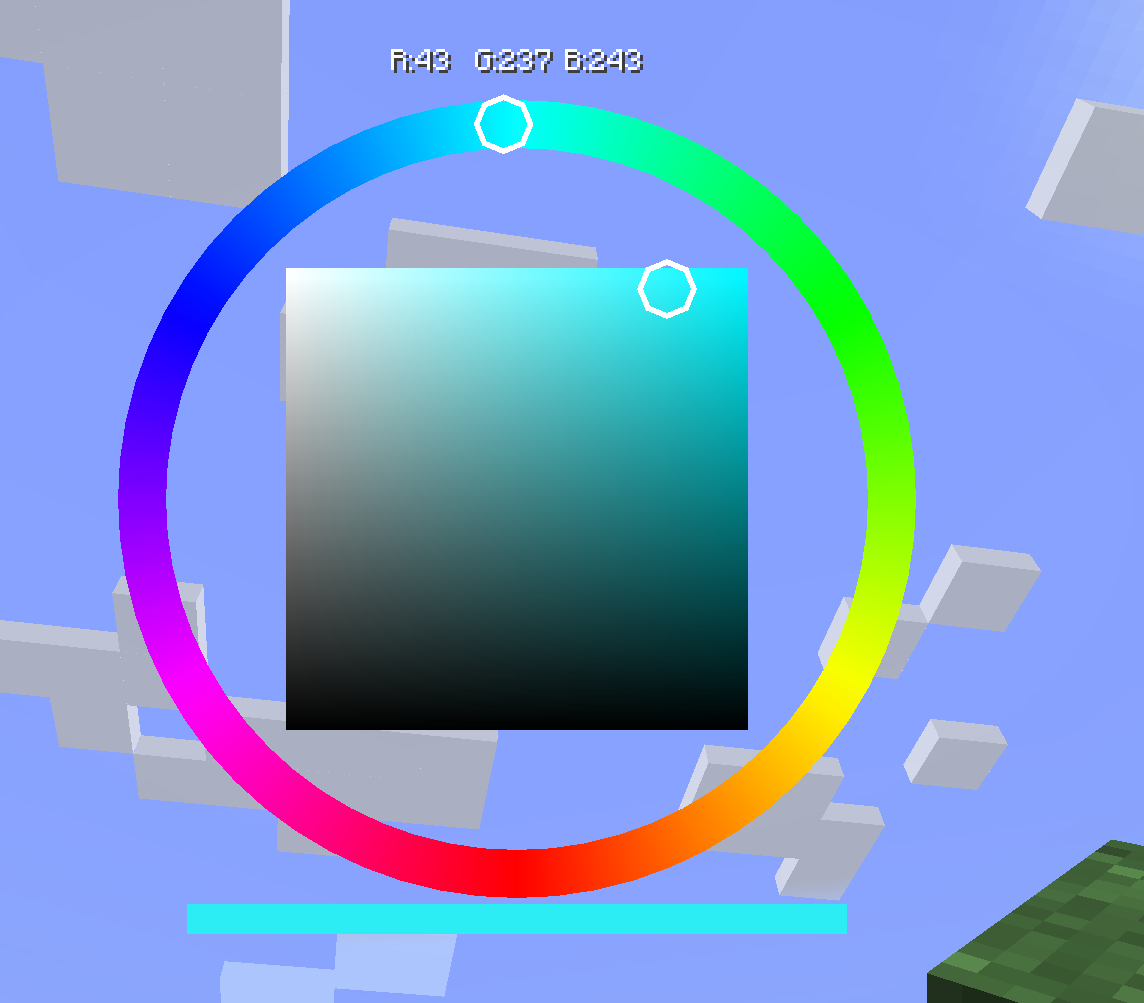
具体的注释都在代码里面了,一些魔法数字我也写成了字段。
项目地址在我的github仓库, 都是LGPLv3的代码 -
 B 草莓呜咩 从 中的 妙妙工具 移动了该主题
-
B 草莓呜咩 从 中的 神秘代码 移动了该主题